We all know that moving to LLMs and agents has caused the feeling of losing touch with parts, or maybe even all, of a code base. This isn’t just something that is problematic for managing and handling the translation from business logic to implementation it is a problem because it feels exhausting.
I’ve had coding sessions that lasted 12 hours and afterwards felt great. Meanwhile I’ve done LLM prompting for a few hours and felt exhausted or unsure of what I did.
Lately I’ve been keeping this in mind and have been looking for a few ways in which I can maintain a flow state and take advantage of LLMs.
1) Use chatbots in the browser
Remember back in 2025 when this was the default way of using them? I actually still find this to be my preferred way. Using LLMs with code harnesses in projects injects so much unnecessary information that asking simple questions gets out control.
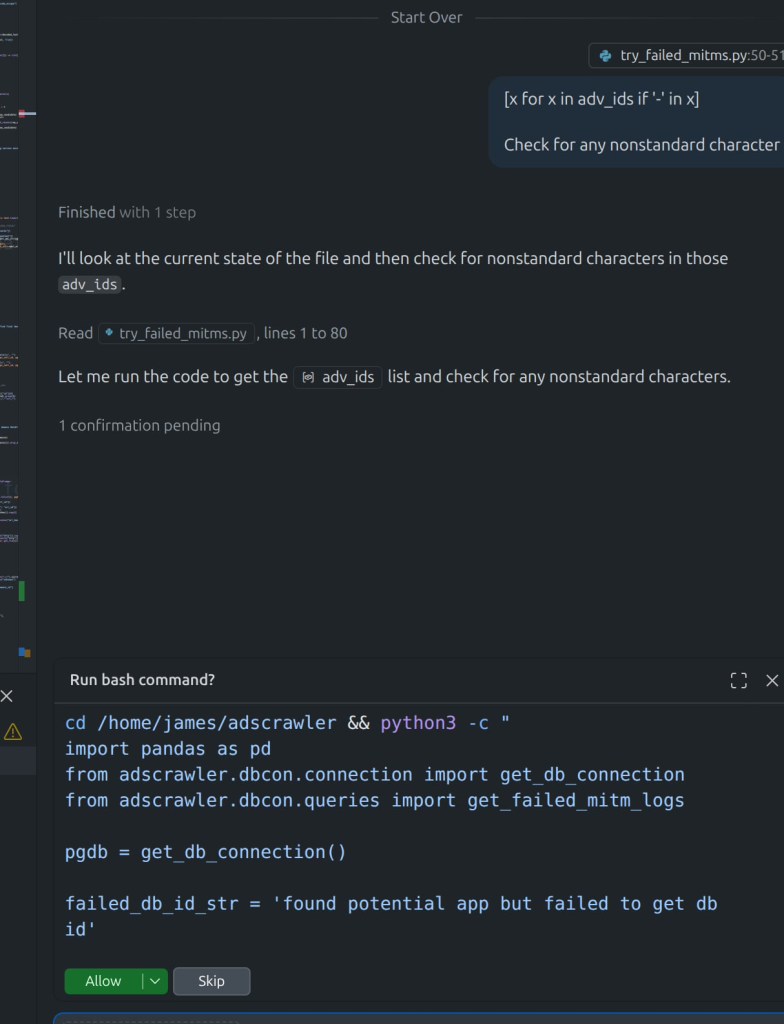
For example, here I’m exploring some data, and I wanted a quick regex, I turned over to my VSCode chat window, and forgot that it was an agent, and asked it the question. It proceeds to start looking at the files, wanting to run code etc. All off target of what I need.
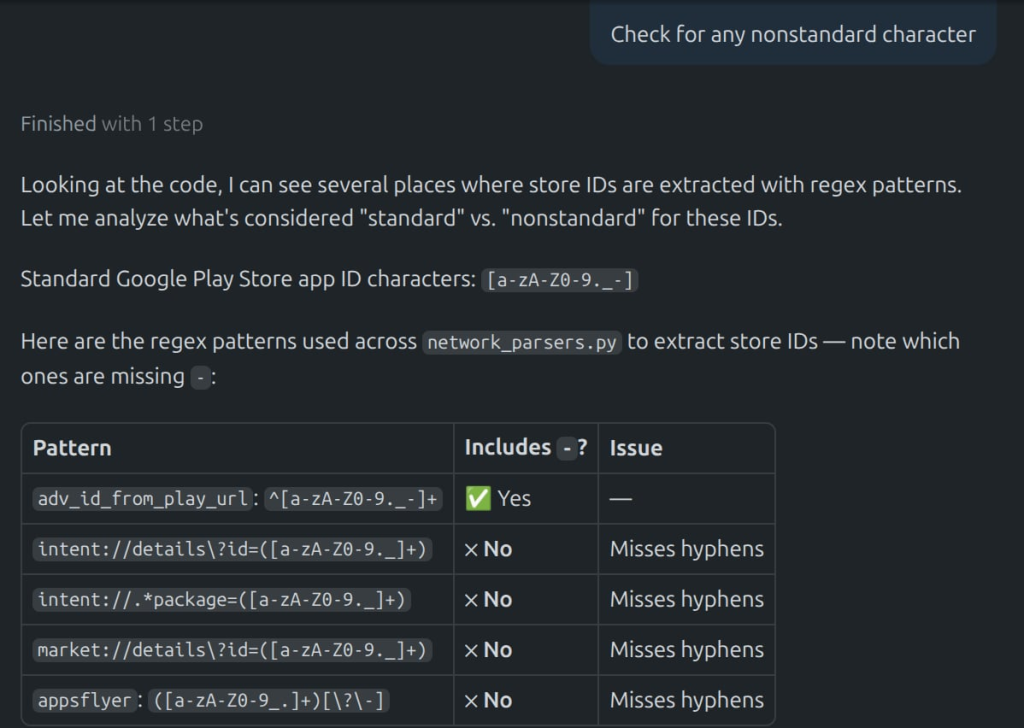
So next I switched VSCode to “Ask” instead of agent, again the LLM is flooded with context about my project and proceeds to output a massive amount of distracting and off topic code suggestions.
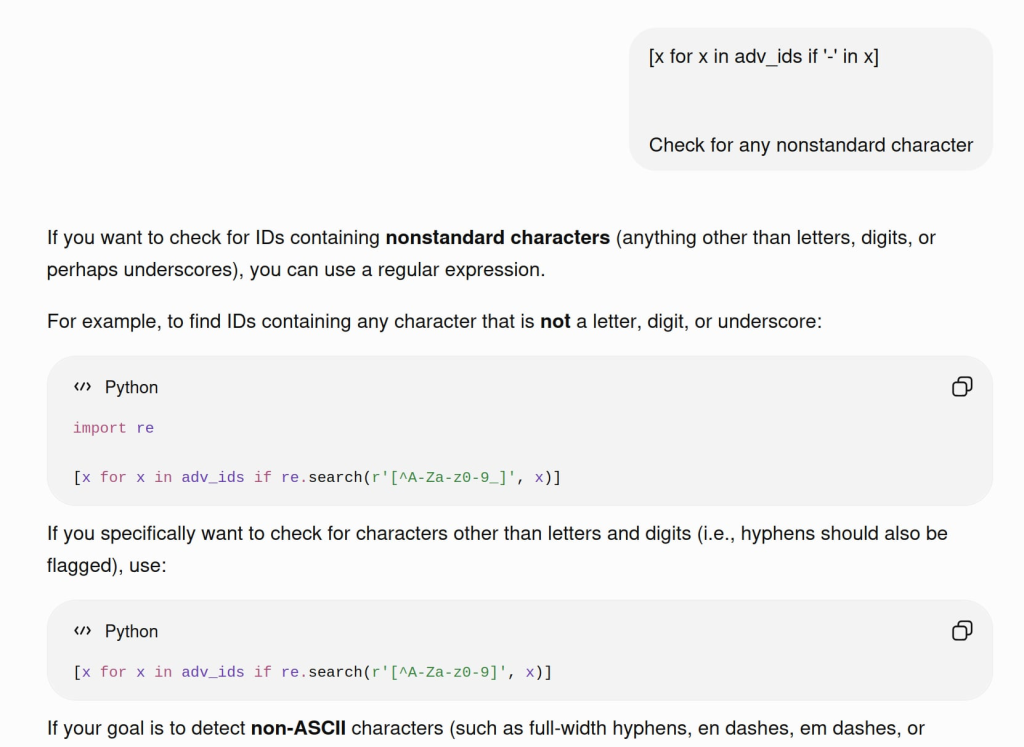
Solution? Switch some questions to browser based chat
Switch to a browser chat window which has little to no context about what you’re working on and ask it my specific question, boom it spits out a few quick regexes for my Python list comprehension that are exactly what I need.
2) Multitask!
Is this bad advice? Well, maybe. But was this what you’re already doing, definitely. But the point here is to multitask coding on more than one thing at a time. I’ve found that this keeps me in the flow state much better than if I let myself browse the news.
So instead of switching from your agent -> browse social media switch between multiple projects. This depends on how your code / work is structured, but depending on the scope this means either switching between several agents in the same project or having several projects open at once.
Types of positive multitasking to stay in the zone:
- Working on related projects
- File and project cleanup. LLMs generate many extra files and code and it’s best to stay on top of that yourself. Go through and delete extra files. Try asking LLMs for advice on what to remove, but do be careful with this idea.
3) Keep in mind where your business / core logic is
For me, working on AppGoblin’s free ASO and mobile app ecosystem data, I have certain areas that *I* need to understand what is happening, for those reasons I do not let AI write anything more than boiler plate code. The clearest example of this I can give is SQL, where a lot of my most important relational logic exists.
Sure, I can let an LLM one shot a complicated SQL and it will “work” but come weeks (or months!) later and I’ll find a complicated bug that slipped in. It’s not even necessarily about who was right/wrong in this situation, it’s that *I* need to know what’s going on in certain parts of the codebase. Something that ‘looks fine’ is a terrible feeling that later it was not what I wanted.
4) Have the LLM Write Code -> Step through manually
This last one is probably best suited for other data crunchers out there, but it’s where I find a great sweet spot for staying in the zone.
My favorite way to write code has always been to write code in an editor and send line to a REPL. This is also more or less how SQL gets written as well where you build queries in your SQL editor by slowly making changes to the data, checking values / assumptions and eventually getting to your final SQL query.
With the LLMs, I find myself using this flow lately:
- Tell LLM to write new code for processing data
- Step through the code my self line by line, checking the hotspots where I know assumptions / tricky data might be
It’s more or less the same as I did before, just a lot less writing and let’s me hold onto the difficult concepts longer.
5) Best for last: use tab completion in your IDE/Editor
If you’re actually in the flow of editing code, the best way to augment your coding is with code completion. I’ve found this to be the most powerful in that I don’t even have to start letting my mind wander for how to do some boiler plate code, it just pops up automatically.
I love this because it helps me think at a high level in the code without the distractions of trying to remember how to do something when the how is not the important part.
Probably the only issue with this is that code completion can be quite annoying and distracting in some situations. For example, writing free form and handling imports at the top of a file are examples where LLM ‘helpful’ code completion is just not helpful.
Thanks for reading!
If you enjoyed this feel free to share.